

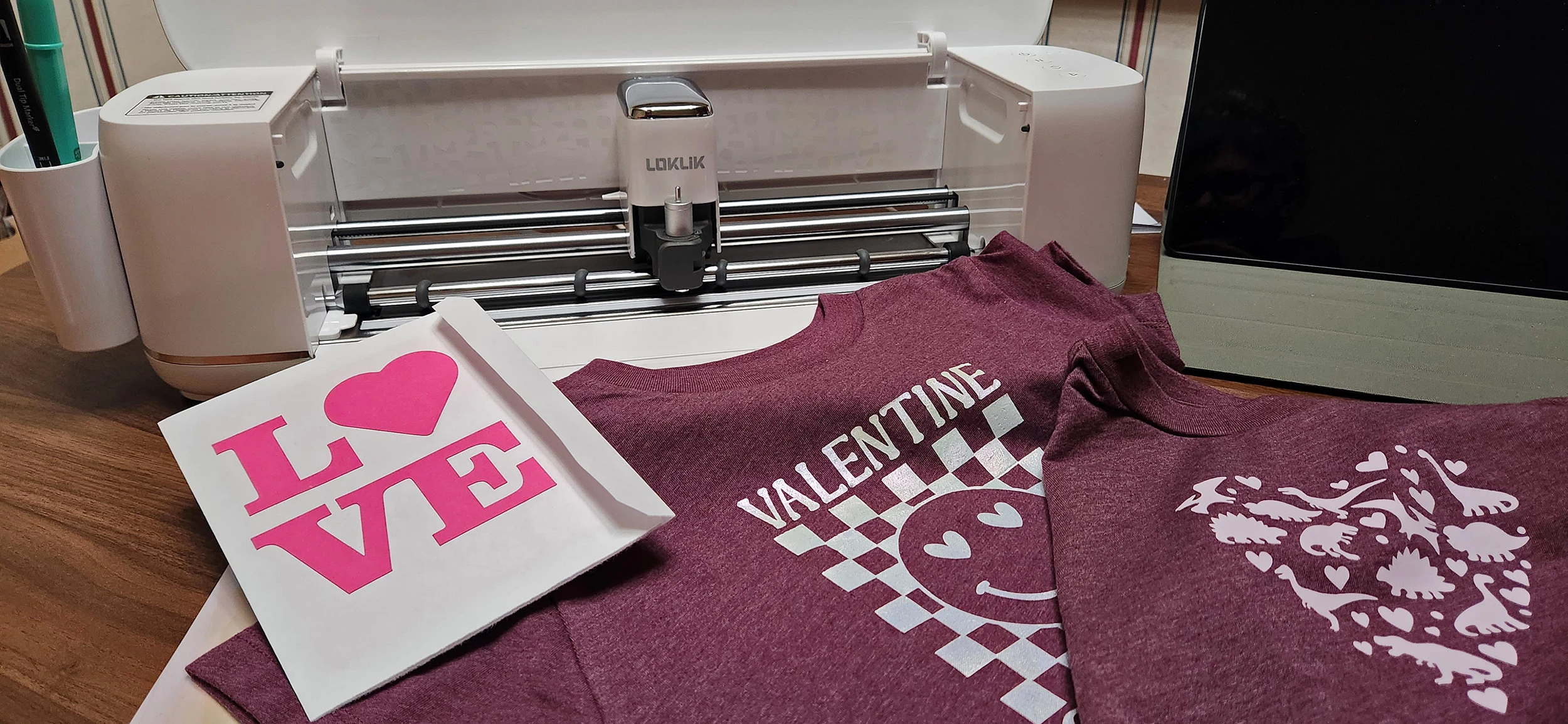

I'm generally not the type to use home crafting machines. I'm more into saws, lasers and CNC-type stuff. My better half, however, is an old pro, with years of cutting, plotting, heat transfer and sticker designing ... all sorts of crafty things with her Cricut and more.
That being said, I still had a crack at it with zero training or instruction before she came in and actually made cool, usable stuff with the iCraft. The task: Make a Valentine's Day card.
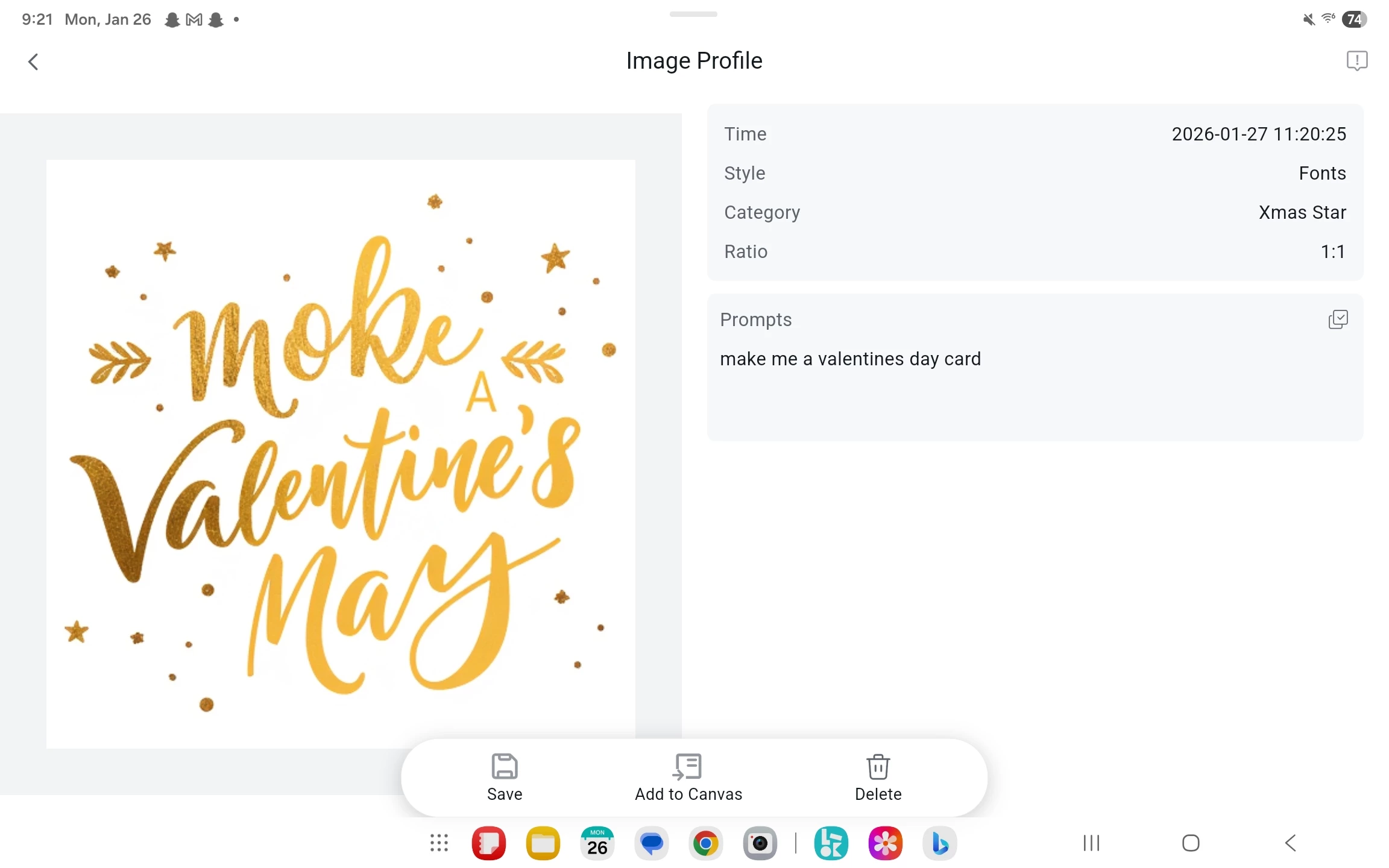
I tried to cheat and use the AI functionality in the Idea Studio software for the iCraft, but, well, I don't think the AI is anywhere near as refined as one would hope. "Make me a Valentine's Day card," somehow equated to a nicely stylistic graphic that literally says "moke A Valentine's May" on it. Thinking it was somehow my fault, I tried again, but with a better, less lazy prompt: "Make me a Valentine's Day card that says 'I heart you two times'," and some other mushy-type stuff ... results were comical, but not up to the standard I was aiming for: "I Lovo TWiNes" ... can't win 'em all, I suppose.

So I did it the hard way and went through the free community-made designs that others had already made and uploaded to Idea Studio to use as a template. Two minutes later, the machine was off to the races, slicing and dicing cardstock like that was its only purpose in life. It even made subtle, cutesy little R2D2 noises as it cut. Not sure if that's a feature or what, but I've never heard the missus' Cricut do that – not that I'm at all mad about it. I was also surprised by how quickly it was cutting out the design. My blue diode laser cutter isn't that fast, not even on cardstock.
Once the robotic chirping stopped about a minute later came the real work. Using the supplied weeder, I had to separate the cardstock from the significantly-too-sticky grip mat that was included with the iCraft without tearing the paper to shreds. Some paper was harmed in the making of this particular card.
Start to finish was about 20 minutes. In those 20 minutes, I went through the entire gamut of emotions, from curiosity, disappointment, joy, wonder, frustration, to a feeling of accomplishment.

To be perfectly honest, using tools far more familiar to me, like Photoshop, my UV laser cutter, and a piece of bubblegum, I could have accomplished the same task in maybe five minutes. But my yearly Photoshop license alone costs more money than the iCraft. And let's not even get into the cost of my industrially capable UV laser cutter/engraver.
Here are a few thoughts that The Wife and I pooled together after we'd both completed our projects:

Hardware:
The iCraft is lacking in the included tools department. "At the very least, it could have included a scraper," she says. In the box, you'll get a replacement fine-tip blade, weeder, dual-tipped pen (fine and bold), a "standard grip" mat, a single sheet of HTV, and a removable storage cup. Speaking of the weeder, the handle is super slick and difficult to hold onto, making your lap a sort of impromptu pin cushion. A quick scrub on the handle with some 100-grit sandpaper fixed that.
It doesn't even come with a machine calibration sheet. That's something you'll have to print yourself, with your own printer – which, without instructions (and the fact that I don't own a printer), is a feat in itself. Having skipped that process, everything seemed to work mostly fine out of the box.
Options for buying tools directly from LOKLiK aren't great, but realistically, home cutter tools are pretty much universal, so it's not a huge issue. The iCraft uses 12×12-inch (30x30-cm) mats just like Cricut and Silhouette desktop cutters, so once again, the market is wide open.
The iCraft cut the included HTV perfectly with no issue, but had a hard time drawing on cardstock paper. That might be because the mat is too sticky for paper, causing some warping. It was difficult to get the paper perfectly flat. Using a less sticky mat makes laying paper down flat significantly easier.

Though the mat is "standard grip" and LOKLik claims it to be suitable for cardstock, it's simply not. It tends to tear the top layer of paper off. I think a less sticky mat would be a better "starter" mat for the average user. It worked perfectly for the included HTV sheet, however.
Software:
The AI background removal feature on Idea Studio is suspect. You can't clearly see what you're doing because the checkerboard transparency view is missing, making it impossible to discern white-on-white. You'll have to memorize where the background wasn't knocked out and go back to edit it later. A simple checkerboard on the screen's workspace is necessary.
Overall, Idea Studio is fairly intuitive and basic. There are a few quick tutorials that help, but the link to the iCraft manual in the Android app is a dead link and doesn't work. Experience with Cricut Design Space was beneficial, as there are quite a few similarities between the two.

One feature the LOKLiK app on Android has that absolutely blows Cricut out of the water is the ability to download more fonts for free. You're limited to what LOKLiK offers in that respect, but that's still far, far better than Design Space's "pay to play" model – especially on Android, where installing fonts can be difficult for the average user. It's less of an issue on Windows, where you can source fonts from all corners of the web.
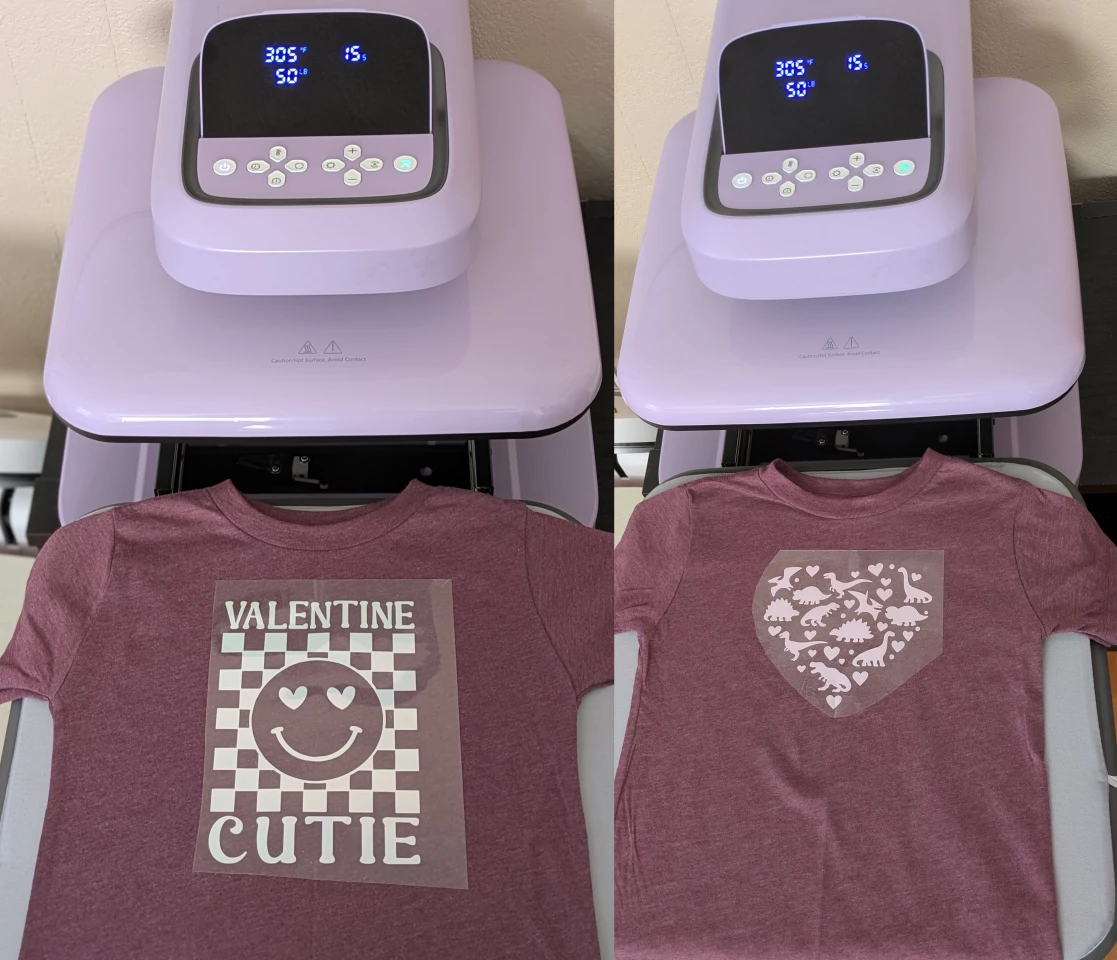
There's an AI feature in the LOKLiK app for the blank canvas that lets you type prompts for different styles. Great idea, but almost 100% useless in my few attempts to create text. That being said, it does generate potentially good templates and simple graphics. It wouldn't be too difficult to fire up Photoshop and salvage something usable. I'm sure that with better prompting, it could do better. Maybe.
Overall thoughts:
The ultimate verdict is that it's a decent and inexpensive US$139.99 alternative to the pricier Cricut, Brother, or Silhouette smart cutting machines. It doesn't have those nicely polished features like a soft-closing lid that some other machines have, but that's also why it costs around 30% less than its rivals.
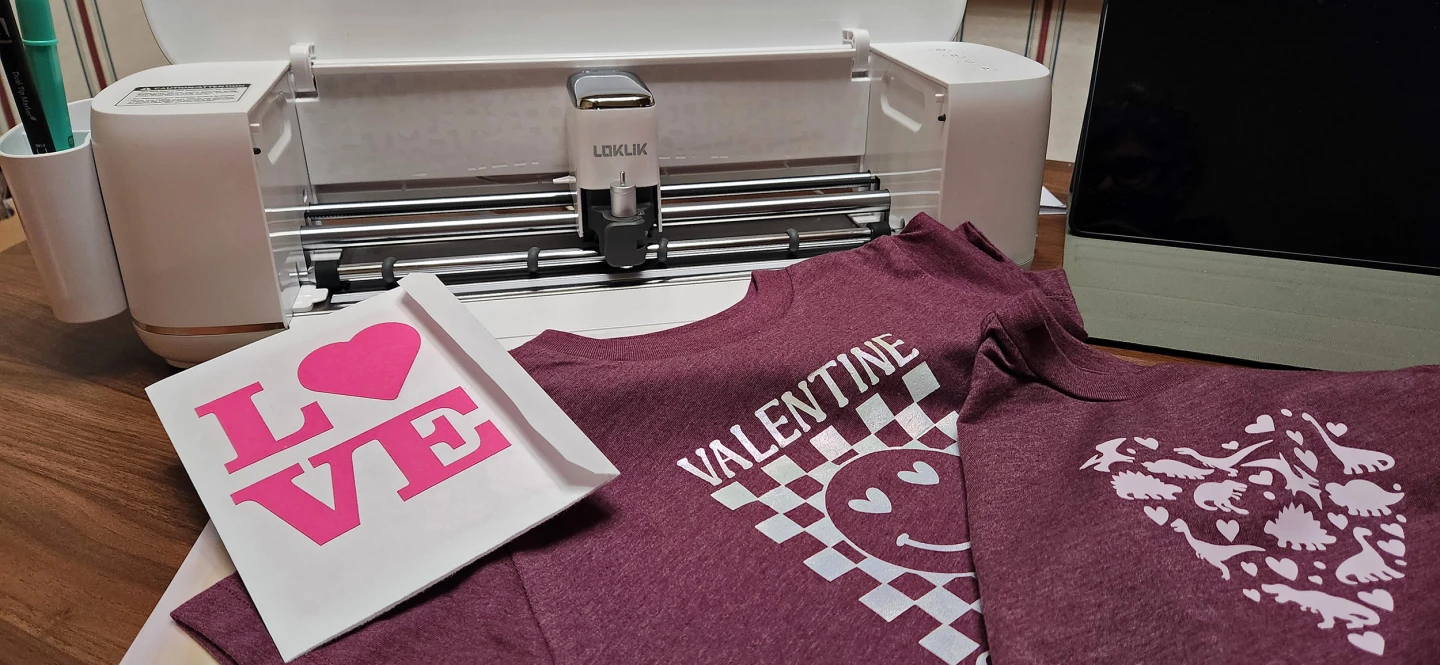
It features a print and cut accuracy of 0.5 mm, which is surprisingly slightly better than that of most Cricut machines. It's made to handle over 100 materials from 0.1 mm up to 2 mm in thickness. It can even cut banners seamlessly up to 13 inches (33 cm) wide and 21 feet (6.4 m) long.
iCraft's user base is smaller, so there are fewer options to pick and choose from, but it does have a community section dedicated to free ideas and templates on Idea Studio. By the looks of it, it seems as though the company is actively trying to grow the community base and is offering cash incentives for creators to contribute more content. I don't know the details, I just saw it glancingly in the app.
Extra bonus points for having no subscription paywalls, like you'd find with Design Space. In my opinion, subscription-based stuff like that is a real deal-breaker. Hopefully, they can keep it that way.
Product page: LOKLiK iCraft or on Amazon
New Atlas may receive commission on purchases through our links. This does not affect our reviews. Our reviews are impartial and our opinions are our own.