






I've relied on USB docks to expand my laptops' connectivity options, both in my home office and on the road, for years. This new one from Cabletime adds a surprisingly versatile screen to earn its keep on your desk.
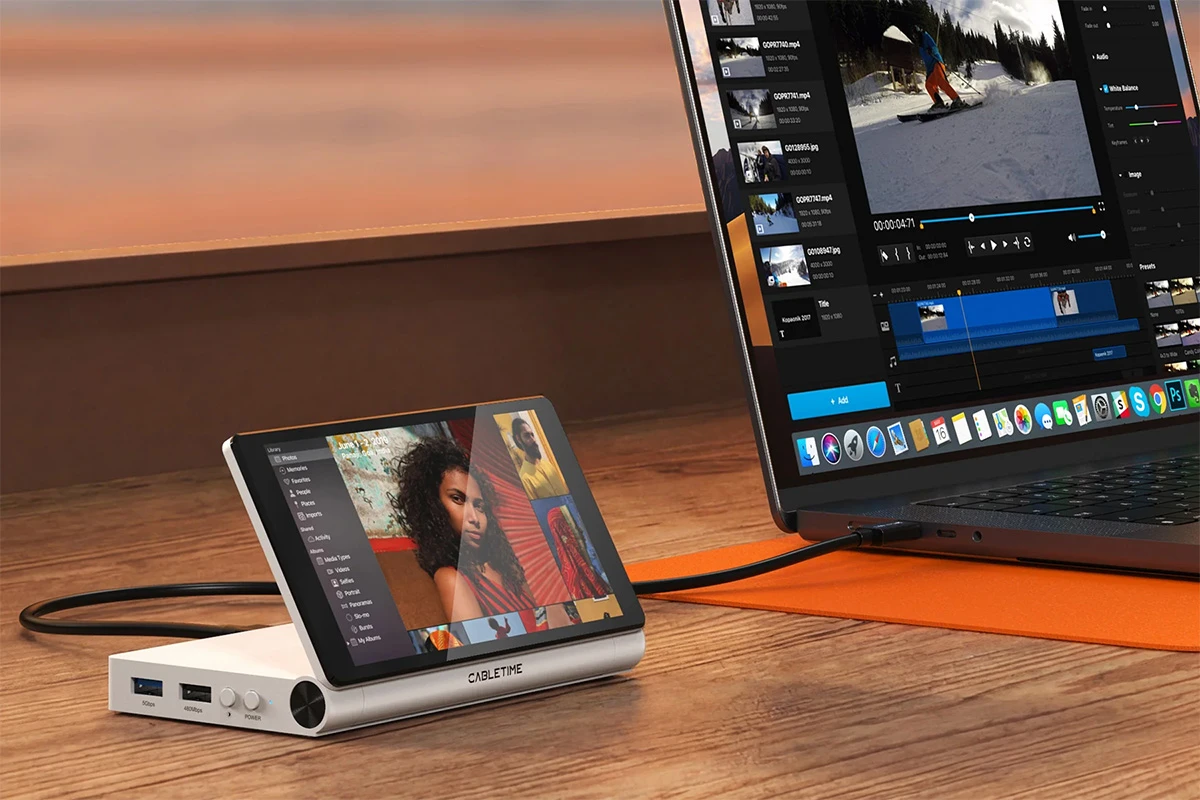
The ScreenDock adds a 5.5-inch 720 screen to your setup that you can use in all sorts of ways. It can display an always-on clock, weather and calendar widgets, notes and to-dos, a full-size preview of an image you're editing up close, or even Slack chats while you're at work.
Once connected via a single USB-C cable, your Mac or PC will recognize it as an external monitor. That way, you can display anything from your computer on there.
Cabletime imagines you might have it play software tutorial videos while you follow along on the actual app, display custom-built dashboards created with AI, or function as a digital photo frame.

You can adjust the screen angle so it's clearly visible from where you're seated, and it also folds down flat when you need to carry it along. A button on the side adjusts brightness across three levels, and you can also simply turn it off when you don't need the display functionality.

You've got a pretty good selection of ports on here to accommodate a host of other peripherals and storage devices. With its support for pass-through charging at up to 100 W, you can plug in a Type-C wall charger have it power your laptop while you access the hub's other functions.

It's also got an Ethernet port for a fast 1 Gbps wired internet connection, slots for SD and microSD cards with fast transfer speeds, and can drive another external display at 4K/60 Hz via HDMI out.
USB docks are indeed a dime a dozen (and this budget pick from Anker is pretty solid). But the ScreenDock elegantly adds a practical secondary display into something you'll likely have taking up space on your desk anyway, especially if you're using a recent laptop that's bereft of essential ports.

Cabletime is crowdfunding the ScreenDock on Kickstarter, where it's discounted down from its expected MSRP of US$169 to $119.
All crowdfunding campaigns carry an element of risk, so you'll want to keep that in mind if you choose to back this campaign. This is the brand's first campaign on Kickstarter – but for what it's worth, it already sells a vast range of computing accessories like cables and USB hubs via its online store, and details the ScreenDock's development on its campaign page. It's also blown past its funding goal with more than 175 backers on board for this one.
If all goes to plan, orders are slated to ship worldwide in October 2026, and delivery costs will be calculated once the campaign ends (starting at $15 per unit for US orders).
Source: Kickstarter
Note: New Atlas may earn commission from purchases made via links.


