
Technology

Google Japan puts 116 keys on conveyor belts because typing was too easy

Google Japan puts 116 keys on conveyor belts because typing was too easy
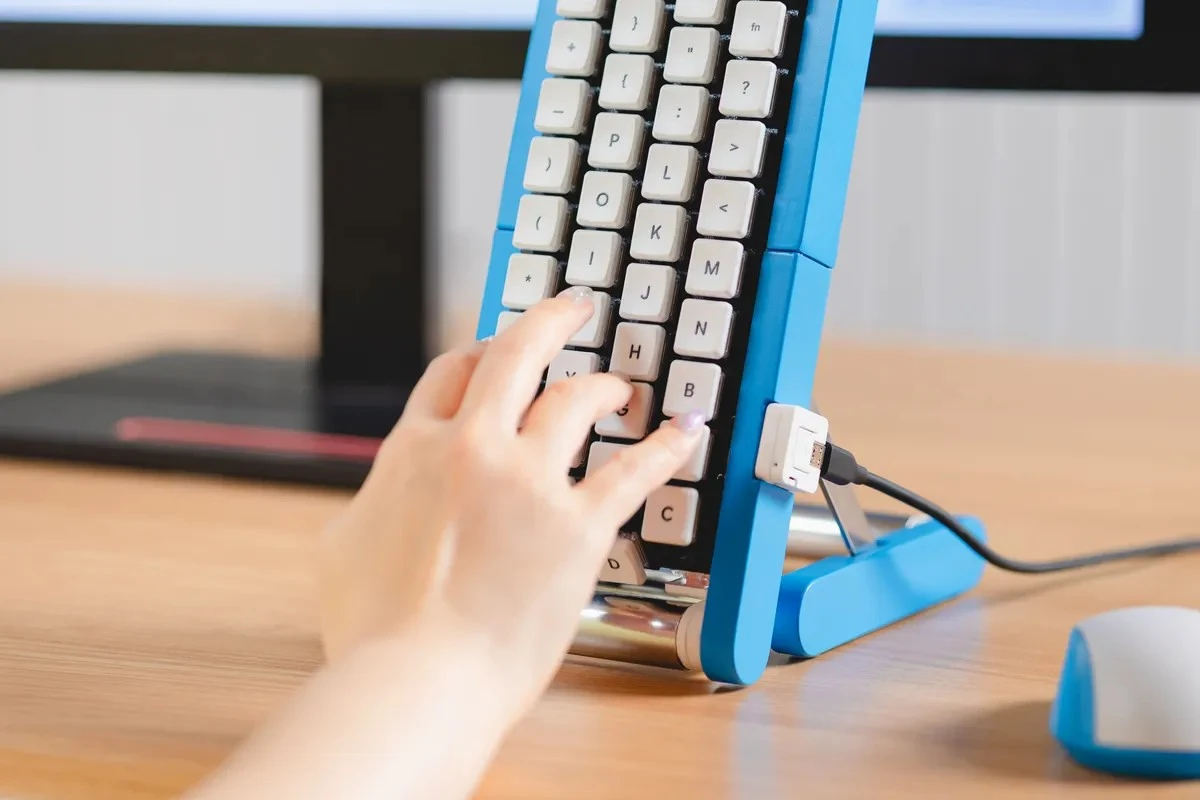
A typist taps a letter as it rolls into position on the motorized belt, enabling one-handed typing at a fixed hand location
View 5 Images
The Gboard Conveyor Belt Version sits upright on a desk, featuring 116 keys cycling continuously across four vertical motorized belts
1/5
The Gboard Conveyor Belt Version sits upright on a desk, featuring 116 keys cycling continuously across four vertical motorized belts
A typist taps a letter as it rolls into position on the motorized belt, enabling one-handed typing at a fixed hand location
2/5
A typist taps a letter as it rolls into position on the motorized belt, enabling one-handed typing at a fixed hand location
3D-printed chassis components, belt tracks, and circuit boards sit on a workshop bench, reflecting the open-source DIY nature of the project
3/5
3D-printed chassis components, belt tracks, and circuit boards sit on a workshop bench, reflecting the open-source DIY nature of the project
The 2021 Gboard Yunomi (Teacup) Version wrapped fish-kanji keys around a ceramic cylinder inspired by traditional sushi restaurant teacups
4/5
The 2021 Gboard Yunomi (Teacup) Version wrapped fish-kanji keys around a ceramic cylinder inspired by traditional sushi restaurant teacups
The 2022 Gboard Bar Version stretched keys across a single 1.65-meter row, allowing two people to type side-by-side
5/5
The 2022 Gboard Bar Version stretched keys across a single 1.65-meter row, allowing two people to type side-by-side
View gallery - 5 images

Google Japan seems to have found a solution to a problem none of us knew we had: the fact that keyboards expect our fingers to come to them. Its latest annual Gboard experiment flips this dynamic on its head with moving keys that eventually roll into position right under your finger.

The setup is pitched (with an absolutely straight face) as a way to type one-handed or even with a single finger. The keyboard does the moving, so you don’t have to.

It arrived as part of Google Japan’s recurring Keyboard Day tradition on October 1st. And no, you won’t be able to purchase one (for better or for worse!). As one YouTube commenter quipped, it feels like an April Fools video uploaded six months late – a nod to the team's habit of building fully functional gag hardware.

Gboard くるくるバージョン

The mechanics are every bit as sensible as the premise. Four vertically arranged conveyor belts carry 29 keys each, giving you a total of 116 moving targets. It’s simple: you just wait for the desired key to arrive beneath your finger, then tap it at just the right moment, with uppercase and lowercase letters available directly. That leaves your other hand free to sip coffee, operate a mouse, or if you’re a little more adventurous, perhaps a second conveyor-belt keyboard.

Future "improvements" include a high-speed mode to test your hand-eye coordination, a voice guide that announces keys as they pass, longer and shorter versions, and even cardboard keycaps for typists who fancy filing their nails. Typos are rather unforgiving, though: misspell something and you’ll have to wait for Backspace to come around again.

Because Google Japan never half-commits to a concept, the contraption actually works. While there are no plans to release it commercially, the team has published the design as open source on GitHub, so anyone sufficiently motivated can build their own.
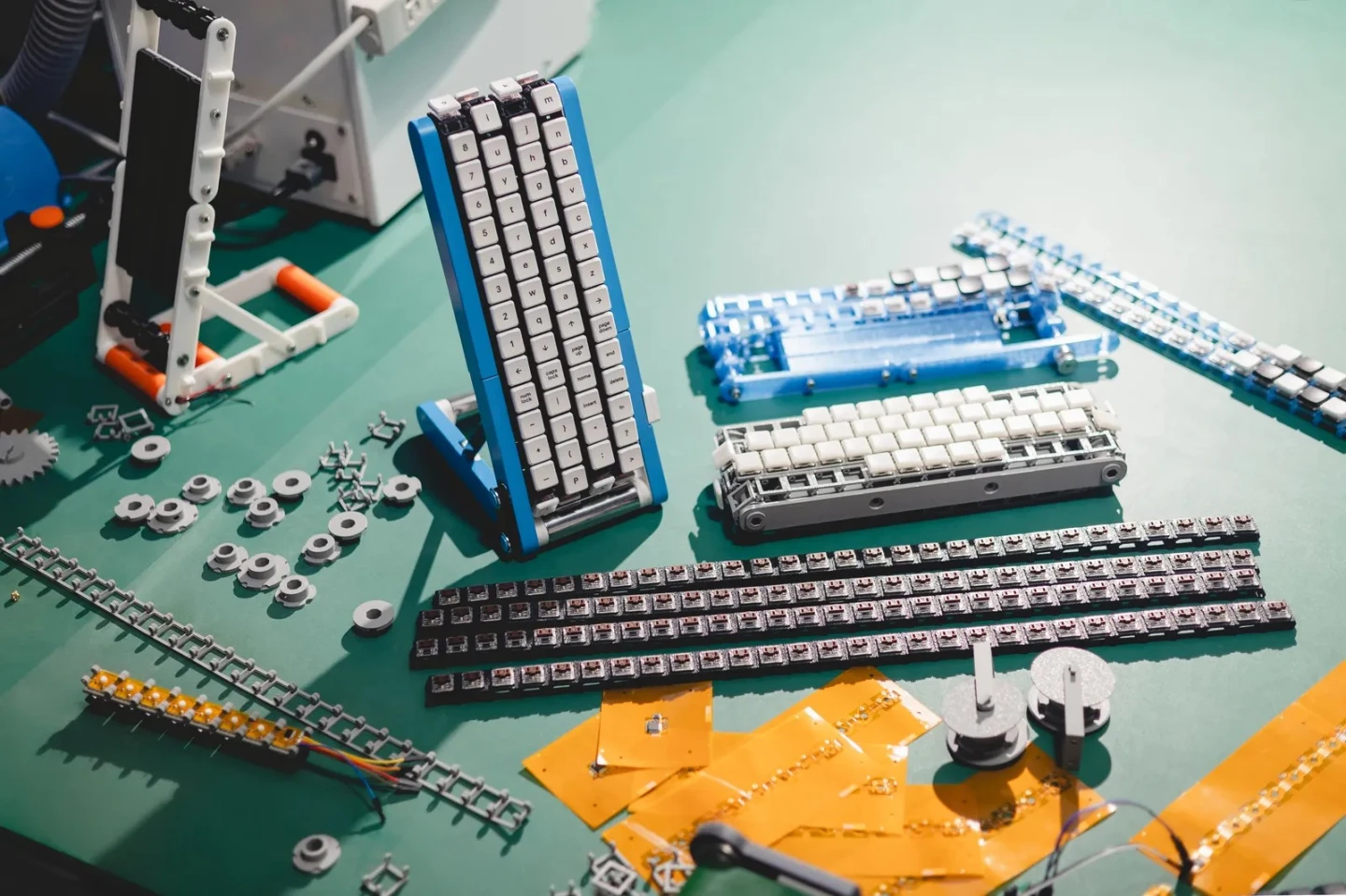
3D-printed chassis components, belt tracks, and circuit boards sit on a workshop bench, reflecting the open-source DIY nature of the project

The release date itself is central to the joke: October 1 was designated "Keyboard Day" because "10/1" echoes the standard 101-key layout. Each year, the team marks the occasion by engineering a perfectly functional solution to a problem that never existed.

The conveyor belts are just the latest stop in a fairly wacky progression. Last year’s rotary dial Gboard borrowed from old telephone hardware, making users physically turn concentric dials to select letters. In 2024, the Double-Sided Gboard went in an entirely different direction, wrapping 208 keys across 26 linked modules into a Möbius-strip-inspired loop that could be attacked from multiple angles (or by multiple people at once).

The older entries only get weirder. There was 2023’s head-mounted CAPS version, 2022’s absurdly long Bar version, and 2021’s Teacup keyboard, plus earlier experiments that involved spoon-bending and physical handwriting. Google’s current series goes all the way back to 2012’s single-key Morse-code keyboard, with the 2026 conveyor-belt contraption officially billed as the 15th installment.

Fifteen attempts in, Google Japan still hasn’t quite perfected the keyboard. Based on the evidence so far, however, perfection would probably spoil the fun.

Source: Google Japan

View gallery - 5 images
5 comments
5 comments
paul314
I guess it would be wrong to just use OLED displays on top of a single row of key to mimic the movement. (Bonus: you could add prediction algorithms so that the most likely keys scroll under each finger next.)
Trylon
For Keyboard Day, I want Google to make a keyboard that takes advantage of all of our extremities. One fingerboard for each hand with three rows of four keys, all in an orthogonal grid with no lateral offset between rows, covering 24 letters. No need for keys between the hands. Fingers move straight up and down between rows. Additional keys under the underused left thumb for the last two, least-used letters – probably Q and Z – since we were taught to basically ignore that thumb back in typing class. Modifier with those keys for tab and back-tab. Space key (no need for wide bar when your thumb never moves) and return/enter under the right thumb. Return is too heavily used and important to leave to the pinky. Foot pedals for modifiers like shift, control, alt/option, Command/Windows, punctuation, and navigation/numeric. Three down pedals and three up, sort of like the gearshift on a motorcycle, or maybe a triple seesaw arrangement with toe down/heel down option for each pedal. Navigation cluster under the left fingers when modified (ESDF form an inverted-T for cursors; R and V for page up/down; W and X for home/end). Numeric under the right fingers and thumb. Backspace and delete are modifiers of the space key. Modified punctuation is under the main fingers rather than all shunted off to the weak and overworked right pinky. Better yet, Dvorak Simplified instead of QWERTY for even more efficiency. Make it so, Google!
Static
this has to be a joke keyboard....
Chuck
I'm with @Static
McDesign
@Trylon - I love your idea. As a retired engineer, devoted now to playing in my workshop continually, this might be a fun project!