




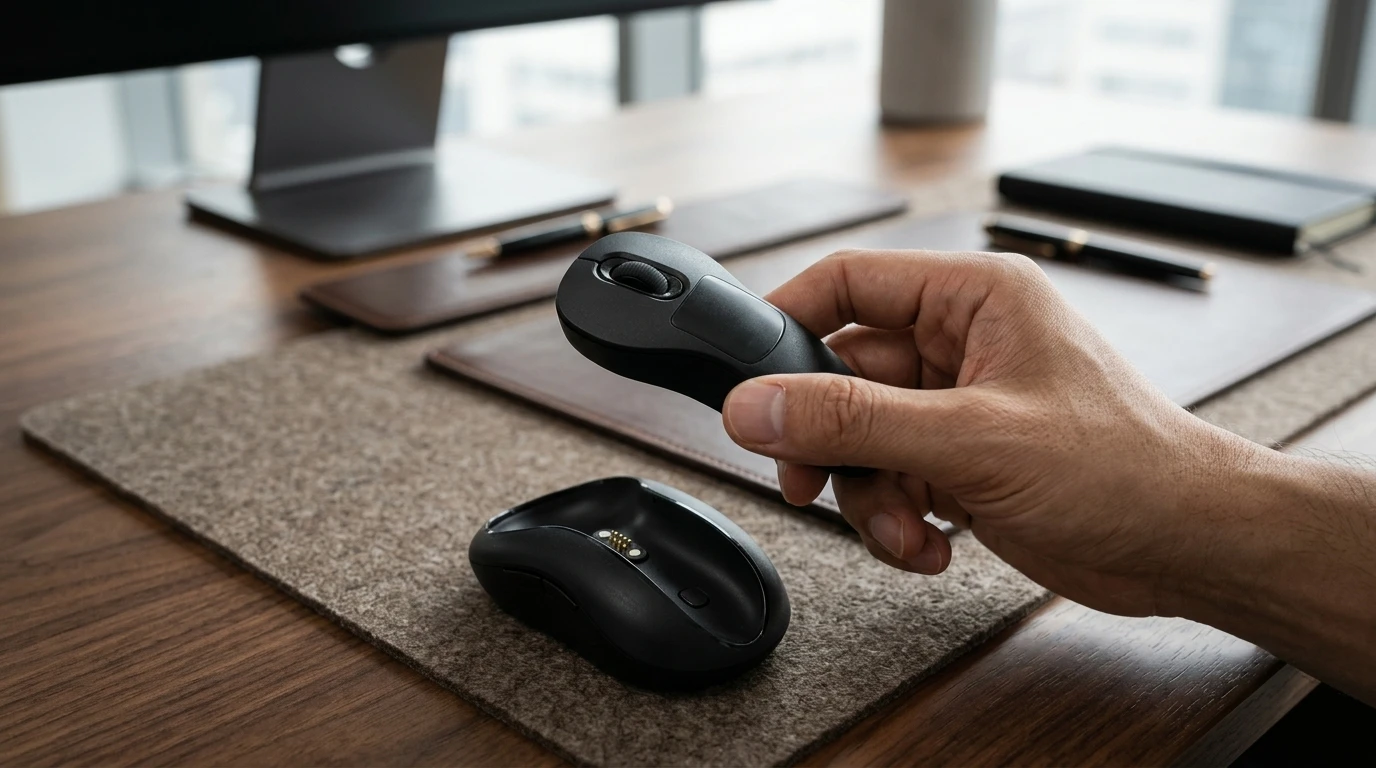



Carrying a full-size mouse, presentation clicker, and another remote for TVs or tablets can feel like a lot for a regular workday. The DS21 is aiming to collapse those jobs into one, using a magnetic modular docking system.
Docked together, it works as a contoured ergonomic mouse with full palm support and a combined weight of 85 g (3 oz). Pull out the core, and it becomes a 35-g (1.2-oz) handheld controller for presentations and more.
The interesting part isn’t just another unusual mouse shape; we’ve seen plenty of those before. It’s the physical transformation that sets the DS21 apart. Rather than forcing one fixed form factor to handle desktop navigation and presentation, it physically adapts to the task at hand.
When you detach it from its base, the DS21 core becomes a compact air mouse and presentation remote. A six-axis gyroscope translates your hand motion into onscreen pointer movement, while you can navigate slides, scroll, or highlight content in mid-air. A multi-touch surface under your thumb handles clicking, dragging, and volume adjustment, with a claimed wireless range of up to 15 m (50 ft).

That freedom makes it useful for more than just conference-room presentations. You could operate a projector from across the room, browse a smart TV from the couch, scroll through an e-book, manage media on a phone, or even trigger a selfie without carrying a separate clicker.
Connectivity is split between a 2.4-GHz USB receiver for lower-latency desktop use, and Bluetooth 5.3 for when you want to pair it with mobile devices. The Kickstarter campaign lists compatibility with Windows, macOS, iOS, iPadOS, Android, Linux, and Smart TV operating systems.
This cross-platform reach is a key part of DS21’s "dual-mode sync" pitch: one input device that can move seamlessly between computers, tablets, phones, TVs, and projectors without forcing you to swap to a different controller each time. If the transitions are as smooth in practice as the campaign suggests, the DS21 could make a convincing universal handheld remote.

Back at the desk, the core snaps magnetically into the shell to function like a traditional, palm-filling ergonomic mouse. When docked, its touch controls and motion sensors remain accessible, allowing you to use gestures alongside standard desktop tracking.
This convenience relies on the engineering holding up, though. The creators specifically flag maintaining tight magnetic-docking tolerances and fine-tuning the six-axis gyroscope across different operating systems as real production challenges. The concept ultimately depends on both halves being competent; a subpar mouse attached to a sluggish remote would sort of defeat the point of both.

As indicated above, the DS21 is currently raising funds on Kickstarter, where pledges currently start at US$55 – a saving of 30% on the expected retail price of $79. Crowdfunding campaigns always have an element of risk, but this is not MBox's first outing, having fulfilled four other funded Kickstarters.
If all goes to plan with this latest project, mass production is estimated to start from September with shipping following in November.
At the current early tier, the DS21 could set you back considerably less than buying a quality ergonomic mouse and a dedicated air presenter separately. For multi-device users and frequent presenters, that versatility may well be reason enough to take a chance on the campaign.
Source: Kickstarter
Note: New Atlas may earn commission from purchases made via links


