





SwitchBot sent me its AI Hub, two Pan/Tilt Cam Plus 3K cameras, and its AI Art Frame for review. SwitchBot makes seemingly anything and everything for smart-home integration, from door locks and curtain pullers to robot vacuums, cameras and even humanoid-ish robots.
So what, exactly, is this little US$260 AI Hub? SwitchBot advertises it as the world's first home AI agent with OpenClaw support, designed to use cameras as its "eyes" and smart devices as its "hands" to spot what's happening around the house and automatically respond. It's pitched as a local smart-home brain that can analyze camera feeds, run automations and tie everything together with Home Assistant or just in the app itself. It also supports Frigate and up to eight 2K SwitchBot or third-party RTSP cameras.
Keeping my data local – like video feeds – is what I was most attracted to, considering I'm a bit of a tin-foil-hat guy. You don't have to send video to the cloud (like Nairobi, Kenya), and everything is processed on my local machine. After all, the cloud is really just someone else's computer, when you think about it.
SwitchBot does offer a Home AI Agent subscription for about five US bucks a month for additional AI functionality – which is cloud-based ... totally defeating the purpose of keeping it local, in my opinion. I did not subscribe.

After spending quite a bit of time with the AI Hub, however, I don't think I use it as SwitchBot intended. At least, not according to the marketing.
To this day, its main job in my house is running Frigate. I've got six security cameras feeding into it, and Frigate, which is preinstalled onto the Switchbot allows me to see not only all of them at once, but it also records snippets of movement, be it cars or people or whatever else the local AI identifies as interesting ... though, I turned off most of the detection and recognition features because I don't need its 6-TOPS AI processor identifying every deer and bird species that wanders through my front yard.
I also spent a lot of time digging around under the hood to the best of my ability. The Hub is basically a tiny Linux machine running Dockerized versions of Frigate, go2rtc, Home Assistant and OpenClaw, along with SwitchBot's own software holding everything together, like its "virtual terminal" that's really a webpage opening a shell on Node inside the OpenClaw container. That makes it far more interesting than anything plug-and-play – but also significantly more frustrating. If you're going to give us cool tools, please allow me to configure it the way I want/need it.
Having a self-hosted AI agent running directly on a smart-home hub is undeniably cool – but that's because I was running Gemma 3 (then later switched to Gemma 4) locally on my computer. If you know anything about OpenClaw, it's very much pay-to-play for the most part, unless you're running your own locally hosted LLMs or use OpenRouter's free APIs. I don't use that instance of OpenClaw anymore and have switched over to using the Autonomous Intern for that. That being said, SwitchBot at least gives you that browser-based terminal – whereas the Intern does not – but it drops you into an unprivileged Node container without proper root access. Boo.

There's no normal SSH access, and the terminal is a pain in the butt to use. Anything beyond basic tinkering quickly becomes an exercise in [futility] working around the machine rather than working with it. For example, to make bulk Home Assistant (HA) changes – which also comes preinstalled on the machine – I had to create a long-lived token in HA, open a shell inside the OpenClaw Docker container, then curl into port 8123 with the token to make JSON-formatted API calls against HA. Heavy lifting stuff on what would otherwise be point and click with proper access.
And about Home Assistant ... it technically runs, but without proper access to the underlying system and config, troubleshooting, migrating integrations like HACS, and cleaning up discovery problems are more trouble than it's worth. My actual Home Assistant install is on my personal Raspberry Pi 5, where I have full control and can actually fix things when they break. I disabled it while testing the SwitchBot, but yeah ... Pirelli's slogan nails it best: "Power is nothing without control."

Don't tell SwitchBot I'm telling you this, but I've used the AI Hub as a target for attacks quite a few times while poking around. I won't get into specifics, but the Switchbot has been surprisingly resilient. I haven't managed to accidentally kill it entirely yet – it's certainly not running at 100% right now and could use a factory reset, honestly, but it still lives ... which is more than I can say for other little Linux boxes that have passed through my grubby paws. The only reason I haven't factory reset it is because Frigate still runs wonderfully on it.
That being said ... Ha! I did find some weird developer artifacts still on the machine while prodding, like a port for a file management system that pretty much exposes all the critical vulnerabilities that would make someone sweat if this were their go-to box, for sure. In fact, I unleashed my personal OpenClaw on that exposed port across my LAN just to see what would happen, and it was able to gain operator.admin access on the SwitchBot's OpenClaw instance and fully take it over – like, plaintext exposed API keys and tokens and fully overwrote the AI Hub's config (per my request) in just a few minutes ... and since I don't have SSH root access, I can't patch that totally random port myself ... So, there's that.

Onto other things that're less complicated ...
The SwitchBot app is much more polished, even if a little confusing at times. It controls alllll of the SwitchBot ecosystem from one place – cameras, hubs, locks, lights, robots, sensors and the AI Art Frame. Camera setup was pretty straightforward once I disabled the VPN on my phone (I always forget to do that and rage for a minute, wondering why it's not working), and the app makes it easy to view feeds, change camera settings and manage the AI Art Frame.

The AI Art Frame is nice. I like it a lot, actually. It uses Spectra 6 color E Ink, so it looks like printed artwork rather than a glowing LCD screen. My favorite part is that you can create a 10-image gallery and display your own photos on rotation, be it hours, days or more. Yes, you can generate images using AI too, but I like having pictures that are actually sacred to me on display. I'm reviewing the 13.3-inch frame. It has a 2,000-mAh rechargeable battery that can last up to two years, they say, but I have my images on a 3-hour rotation, so it burns up the battery after about two months. It's as easy as taking it down and plugging it into a USB-C for a couple of hours to top it off though.

SwitchBot has a 7.3-, 13.3- and a massive 31.5-in version, with resolutions ranging from 800 × 480 px to 2560 × 1440 px. Expect to pay $150, $350, or $1,300, respectively. Spectra 6 panels are not cheap, I checked.
It's pretty cool. It's like the Fraimic I previously reviewed in terms of resolution and color, but this one only works through the internet, not locally like the Fraimic does. I think SwitchbBot missed the mark a little bit, as the AI Hub can't interact with it. I can control both of 'em through the same SwitchBot app, but the Hub can't autonomously change the frame. That being said, I do appreciate that it's a single app to control everything. I do a lot of product testing, and I have folders nested within folders on my phone for apps controlling the million things I use. One app to rule them all is the way to go, according to Tolkien.
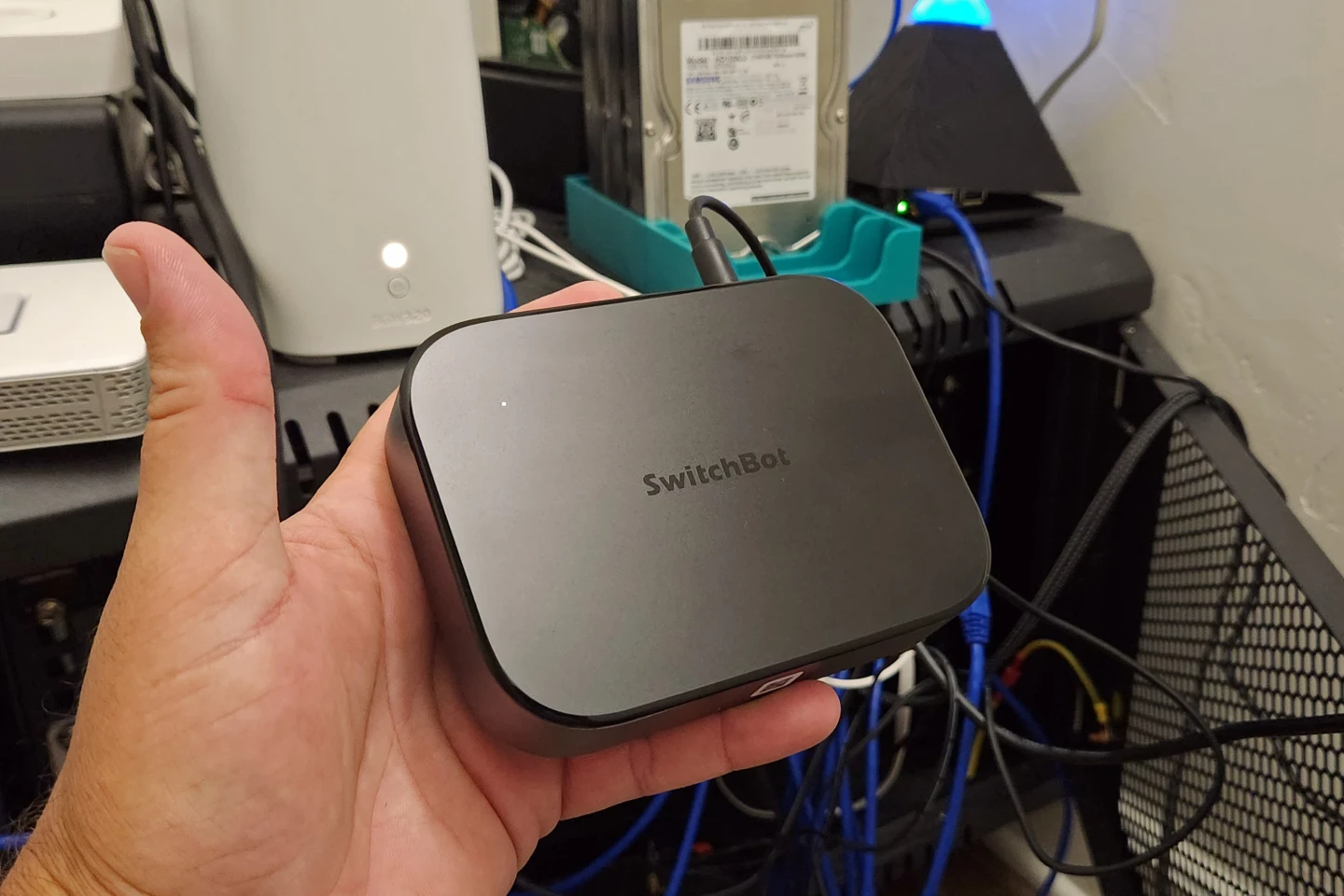
Ultimately, I was super excited to test out the SwitchBot AI Hub, but, well, it's fallen a bit short of my expectations in regards to "AI." Without full control of the machine, some stuff just doesn't work right, and it's very difficult to make changes or fixes. The app mostly supplies shortcut links to the relevant app/port for logging in to config HA or OpenClaw or Frigate. You get the full OpenClaw web interface, but the Dockerized container is a bit unstable and will randomly reboot or crash. There have been a fair few instances of openclaw doctor --fix in the virtual terminal.

Otherwise, it sure is a great NVR with its Rockchip Frigate support. It's significantly better than trying to run Frigate via a Raspberry Pi, as Frigate is pretty CPU-intensive, especially with object recognition. The Rockchip NPU in the Switchbot makes easy work of it with an average CPU load around 40% and the NPU at 3% or so ... versus my Pi, pegged at 98%+ constant.
The AI Hub is compact, low-power, and has survived months of continuous use (and abuse), so it's earned a permanent spot on my network. But I REALLY wish it had an Ethernet port and I didn't have to do it all wirelessly or have to buy a USB-C to Eth cable.
The two cameras that came with it, the Pant/Tilt Cam Plus 3K, are 5-MP sensors at a 3K resolution with a f/1.6 lens and infrared lights for night vision, which works surprisingly well. They're solid indoor-only cameras. The image quality is decent. Controlling them is easy, but viewing old footage through the app is difficult, at best. Frigate makes it easier to view the footage, but then you lose the ability to control the pan/tilt, at least as RTSP. I'm not a big fan of having cameras indoors, personally, so one faces out a window overlooking the back yard (not the best use case, really, and I turned off IR entirely on it), while the other one is in the garage, watching out for baddies. I do not use them as the SwitchBot AI Hub's "eyes," that for sure.

And the AI Art Frame has been nothing short of awesome. Pricey, but totally worth it, in my opinion. I really like these e-ink frames far more than an LCD screen. It would be better if it supported more than 10 images in a gallery, for sure, but it's still a nice-looking frame with solid e-ink resolution for hanging your generated art or your precious photos.
Product Pages: SwitchBot AI Hub ($259.99)| AI Art Frame ($349.99) | Pan/Tilt Cam Plus 3K ($69.99)
New Atlas may receive commission if you purchase through our links, but that does not affect our reviews. Our opinions remain our own.


